Stop scheduling your studio
in a spreadsheet.

Add your rooms, instructors, and classes. Cadence solves conflicts automatically and publishes a live schedule your whole studio can follow — in seconds.

No conflicts, ever
Publishes in one click
Free to start

Done in seconds

Not hours in a spreadsheet

Zero double-bookings

Every conflict caught automatically

Live for your whole studio

Real-time schedule, no extra effort

Features

Everything your studio needs

Smart scheduling

Set rooms, instructor availability, and custom rules. The solver assigns every class to a room, time, and instructor — automatically.

Week-by-week management

Cancel a class, swap an instructor, or add a one-off session — without touching your base schedule.

Live schedule display

Publish a public URL your front desk can put on any screen. Real-time room status, class info, and instructor names — auto-updating throughout the day.

See it in action

From setup to schedule in seconds

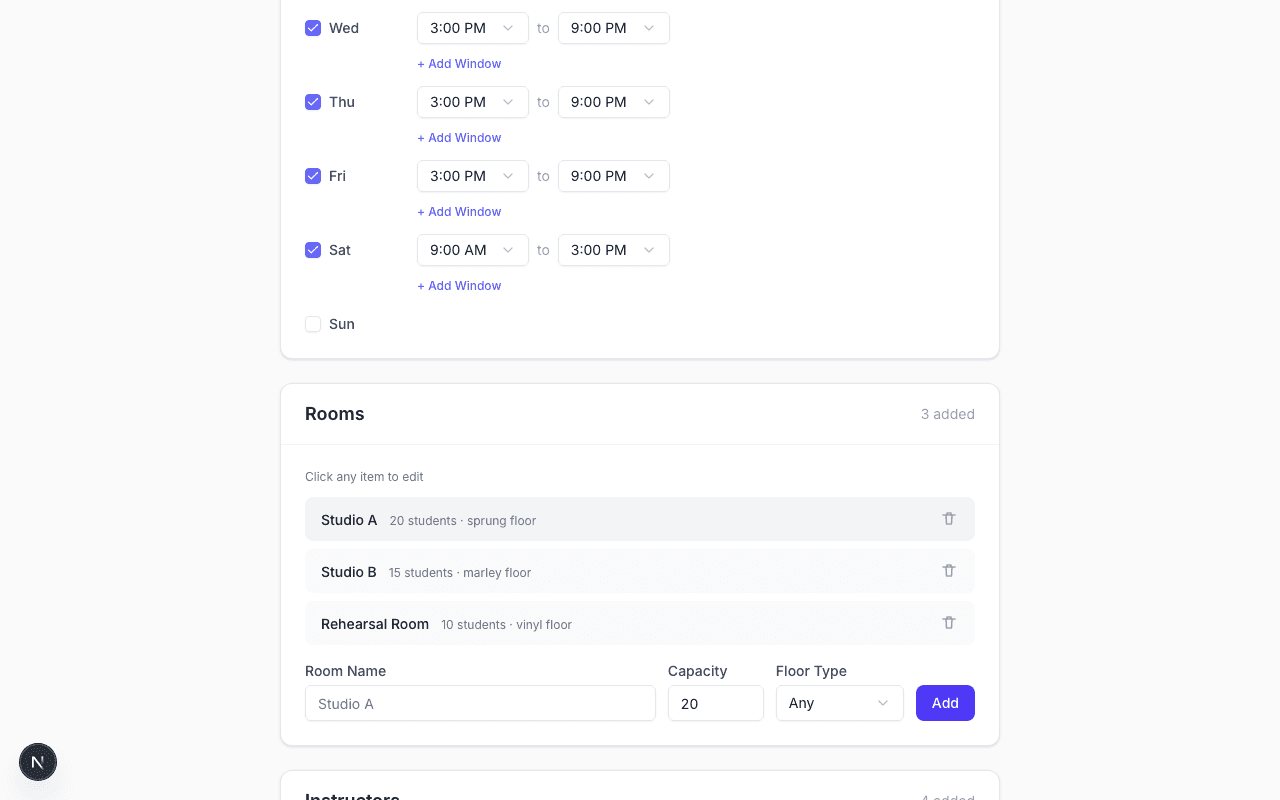
Cadence schedule builder showing rooms and operating hours

Step 1 — Enter your studio

Add rooms, instructors with their availability, and every class you need to schedule.

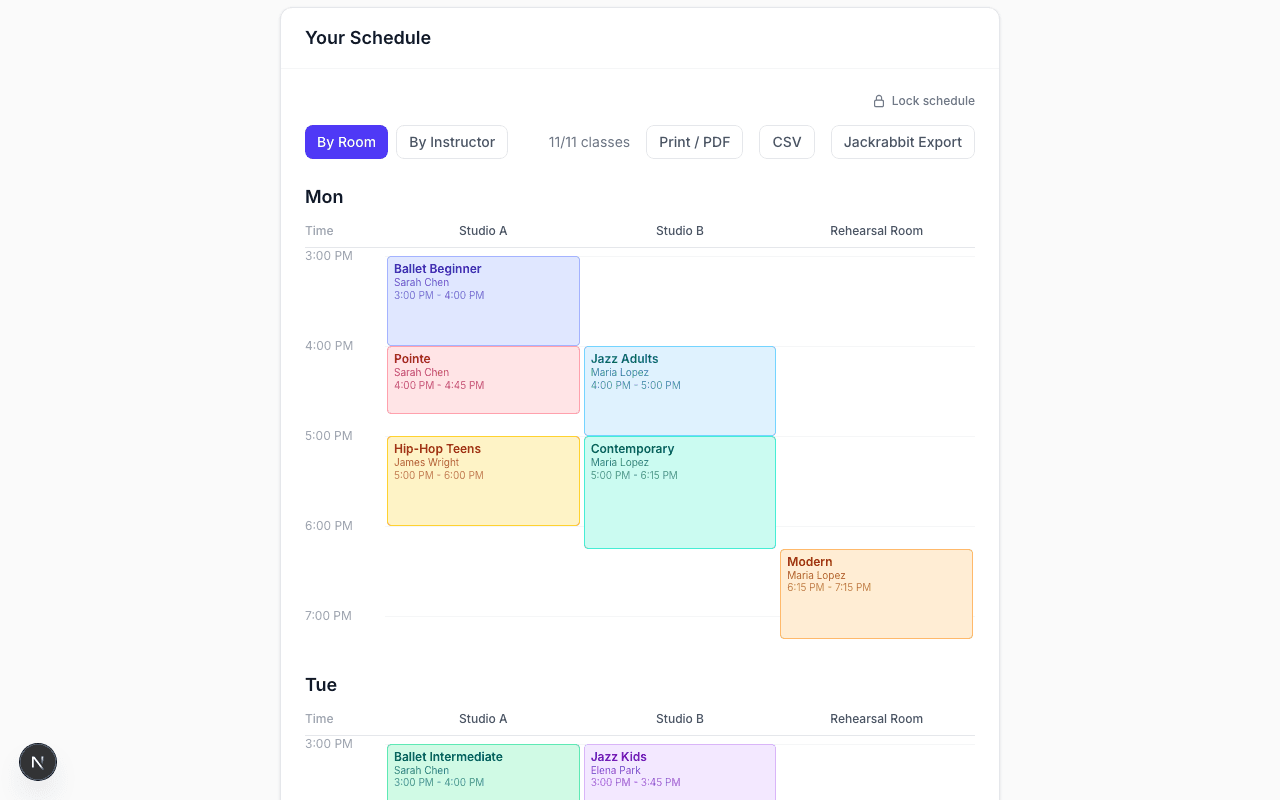
Generated conflict-free schedule grid showing classes assigned by room and time

Step 2 — Get your schedule

Cadence assigns every class to a room, instructor, and time — no conflicts, in seconds.

Live schedule

A schedule your whole
studio can see

One public link. Put it on the lobby TV, share it with instructors, or let parents check room assignments from their phones. Always reflects today's schedule — including last-minute changes.

See a live example

Rhythm Dance Studio

Wednesday · 4:15 PM

Studio AIn session

Ballet Beginner

Sarah Chen · until 5:00 PM

Studio BUp next

Contemporary

Maria Lopez · starts 4:00 PM

Rehearsal RoomOpen

Available until 5:30 PM

How it works

Up and running in minutes

1

Enter your studio info

Add rooms, instructors with availability, and the classes you need to schedule — then set any rules you want enforced.

2

We solve the puzzle

Our algorithm assigns every class to a room, instructor, and time slot — respecting all your constraints automatically.

3

Publish your live schedule

Get a shareable URL that shows today's real-time room status. Put it on your lobby screen or share with instructors and families.

Ready to build your schedule?

No sign-up required to get started.

Build Your Schedule